 Inspect Signals
See what a site sends to Google, request by request.
Inspect Signals is a Chrome extension that lists the Google Analytics 4 and Google Ads requests a website sends, in Chrome's side panel. Each request sits under the page and the frame that sent it, so you can check a tracking setup while you browse the site, without opening DevTools.
Add to Chrome Version 0.2.5, Chrome 120 or later.
What it shows
Built for checking client sites, and for screen recordings where someone needs to follow along. It reads requests; it never blocks or changes them.
-
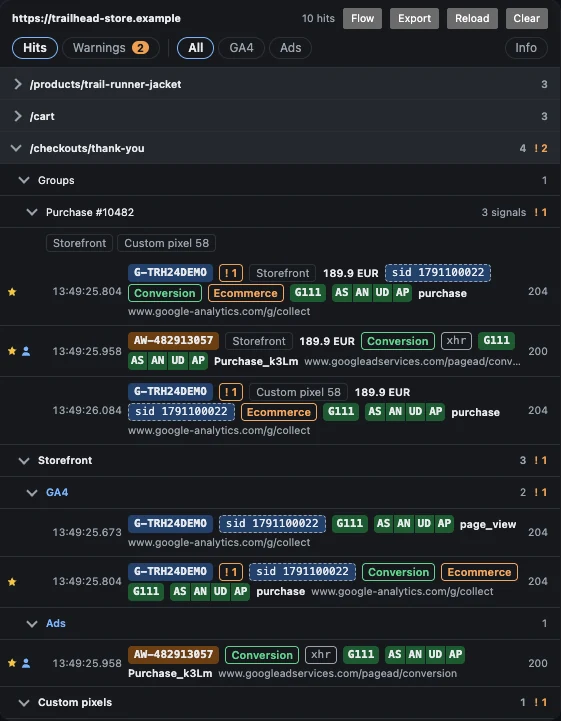
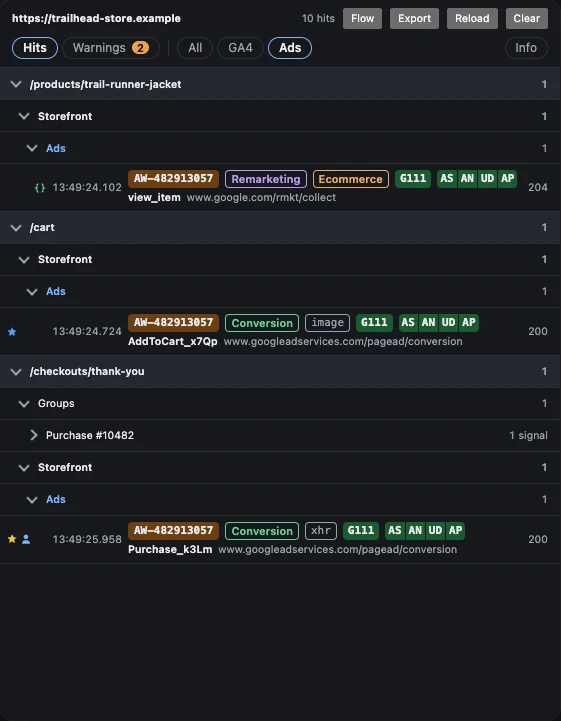
Requests by page and source
Every GA4 and Google Ads request appears under the page that sent it, with the property or account id, the event, consent state and the GA4 session.
-
Order checks for e-commerce
Signals for the same order are grouped in one card with their source and value. A rule flags the group when values or consent disagree, or when a purchase has no transaction id.
-
Shopify web pixels
Requests sent from custom pixel and app pixel sandboxes are attributed to the pixel that sent them, not lumped in with the storefront.
-
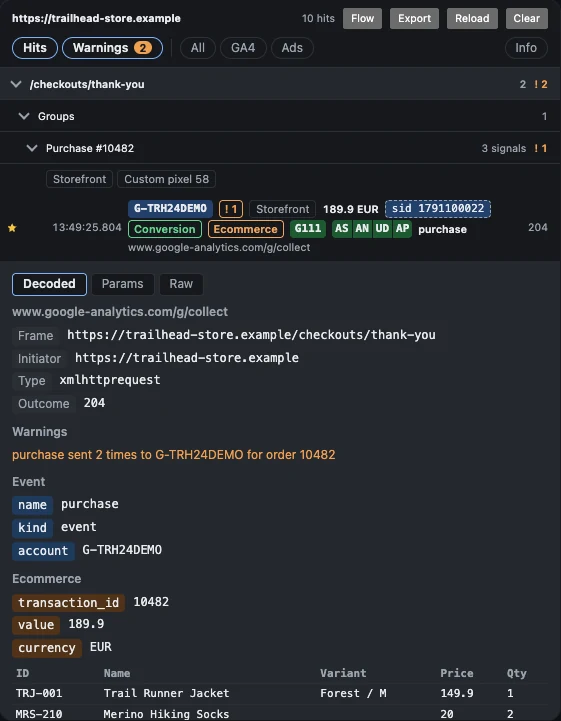
Decoded, Params and Raw
Click a row to read the request three ways: decoded into named fields, as a parameter list, or exactly as it was sent.
-
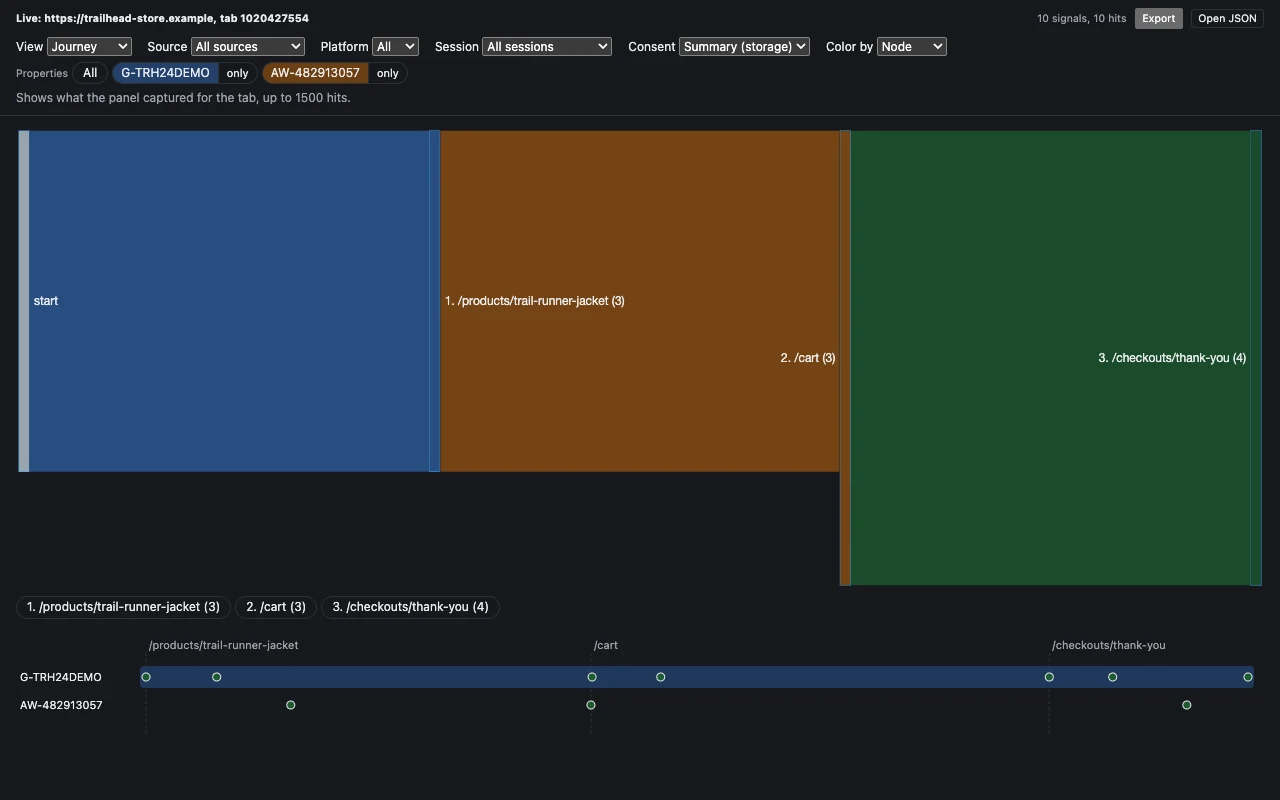
Flow view
A Sankey of pages in visit order and a timeline with one lane per property or account, showing session segments and the moments consent changed.
-
Export and reopen
Save a tab's recording as a JSON file and open it again later in the flow view, for a report or a second look.
In the panel
Screens from a demo store with made-up ids.
How it works
The extension reads nothing until you grant a site. Access is asked for one site at a time and Chrome keeps the grant for that site.
- Open the site and click the toolbar icon. The side panel opens for that tab.
- Press Grant access and accept Chrome's prompt for that site.
- Press Reload page. Capture starts from that load.
- Browse as usual. Requests appear as they are sent; Clear empties the tab and Export saves it.
Limits
What the extension cannot see, so you know what a clean panel does and does not prove.
- Server-side GTM and other first-party collection endpoints are not captured.
- It shows what the browser sent, not what Google accepted.
- Each tab keeps its newest 1,500 requests. Older ones are dropped and counted in the panel header.
- Order checks and warnings see only captured requests. They state what was sent, not why.
- The recording lives in session storage and is gone when the tab or the browser closes, unless you export it.
Privacy
The extension has no server. Nothing it reads leaves your browser.
- It reads requests only on sites you grant one by one with Grant access.
- Captured requests are deleted when you close the tab, press Clear or close the browser.
- No analytics, no advertising, no tracking of you, no remote code.
- It does not read page content, form fields, passwords or cookies.