 Selection Math
Add up numbers from anywhere on your Mac, and keep the math on screen.
Select a number in a browser, a spreadsheet, a PDF or the Terminal, press ⌃ ⌥ A, and it joins the list. Every value stays visible and editable, so a screen recording shows exactly how a result was reached.
Download for macOS Version 0.4.3, macOS 14 or later, Apple silicon and Intel. Free and open source (MIT). Source on GitHub
What it does
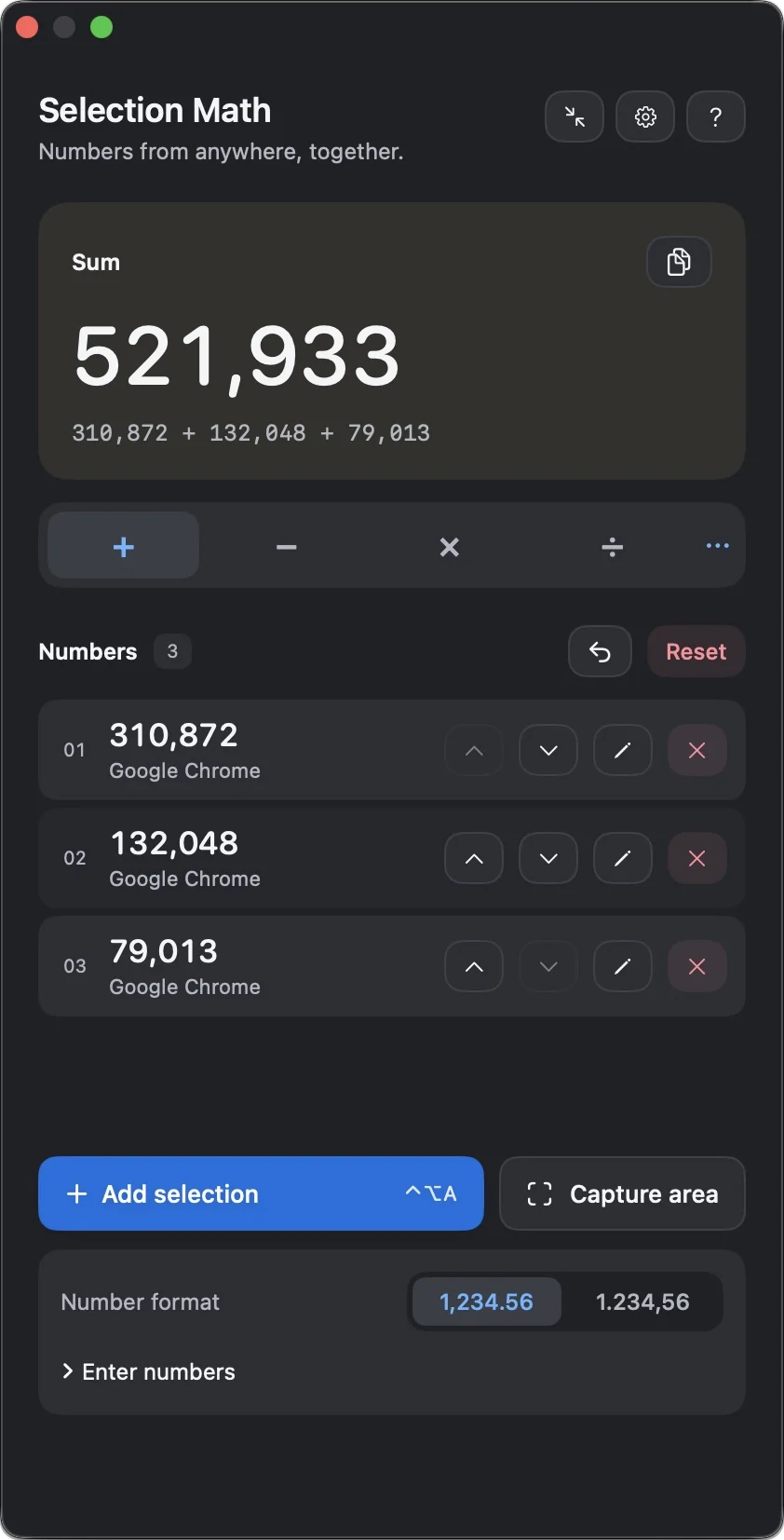
Copying numbers into Calculator one at a time loses the trail: a recording shows the total, not where it came from. Selection Math keeps every operand, its source and the operation in view.
-
Add a selection with one shortcut
Selected text and spreadsheet cells come in through Accessibility. When an app hides its selection, Selection Math sends Copy and then puts your previous clipboard back.
-
Read numbers from the screen
Draw around a chart, a screenshot or a canvas table. Text recognition runs on your Mac, and you check the result before anything is added.
-
Seven operations, exact decimals
Sum, ordered subtraction, multiplication, ordered division, average, ratio and percentage change. Decimal arithmetic means
0.1 + 0.2is0.3. -
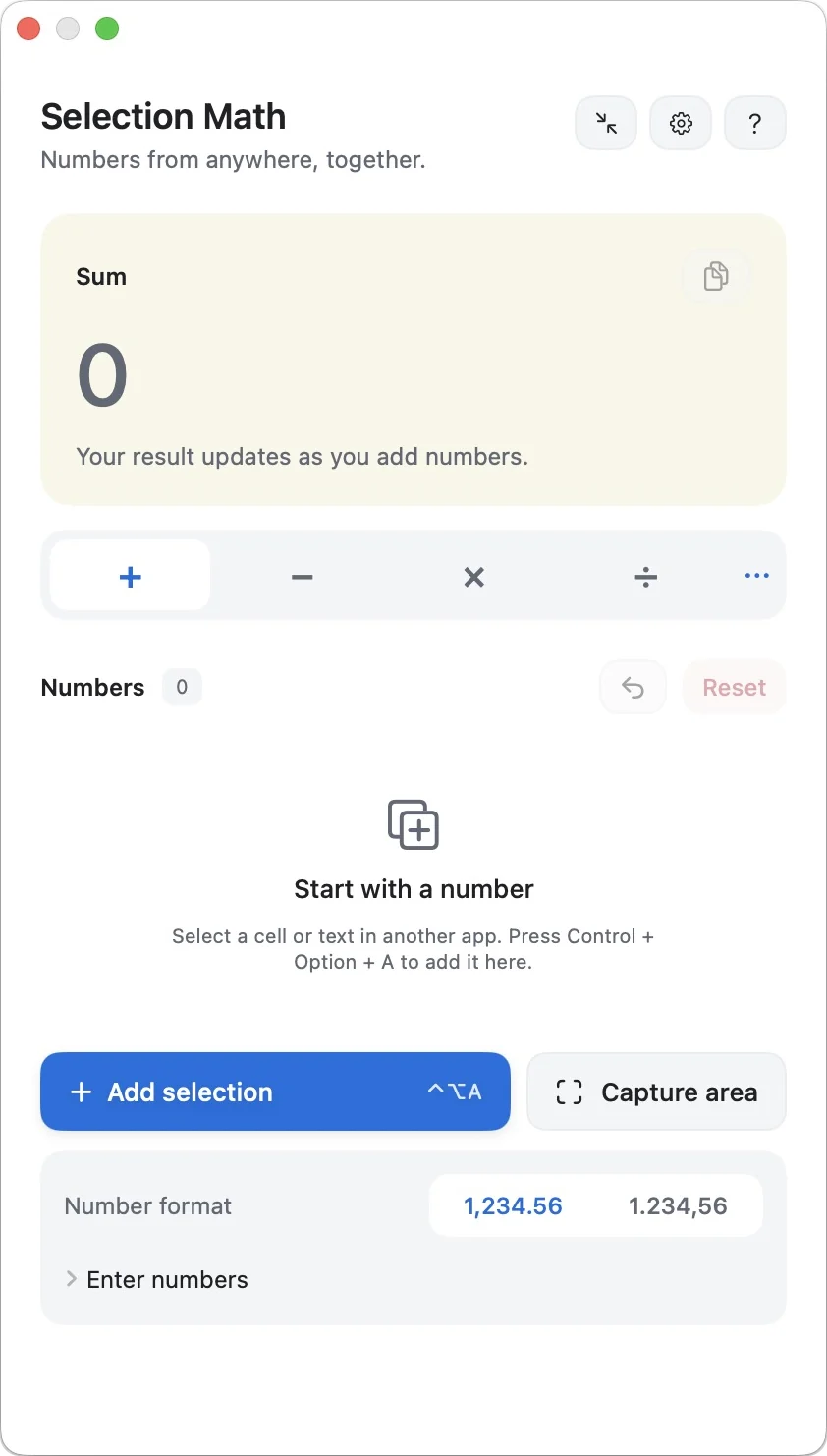
Both number formats
Switch between
1,234.56and1.234,56. Percentages, percentage points and accounting negatives such as(1,234)are understood. -
Made for recordings
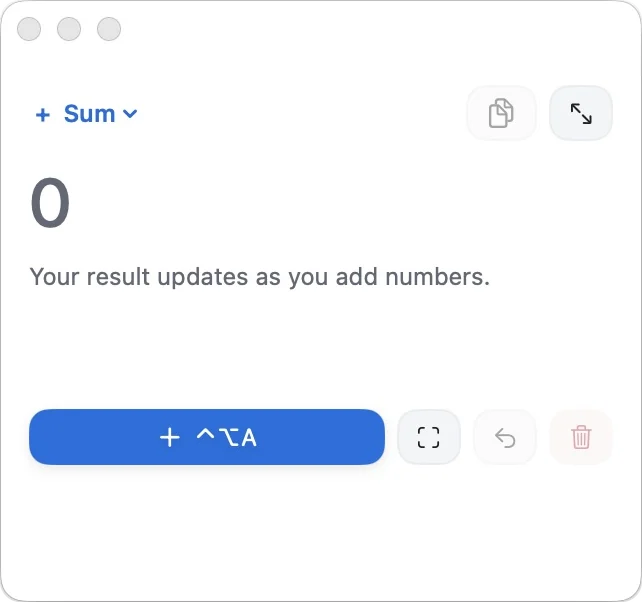
The panel floats above other windows and has a compact view. Values can be edited, reordered or removed, and a reset can be undone.
-
Your shortcuts
Change all three shortcuts in Settings. Labels follow your keyboard layout, and two actions can never share one combination.
In the app
Light and dark appearance follow macOS, or pick one in Settings.
How it works
Nothing is collected automatically. Each number comes in because you pressed the shortcut.
- Open Selection Math and allow Accessibility access when asked.
- Select a number or a cell in another app and press ⌃ ⌥ A. Repeat for every number you need.
- Pick an operation. Edit, reorder or remove values, then Copy result.
- For screenshots and canvases, press ⌃ ⌥ S, draw around the numbers, check the recognized text and press Add numbers.
Install
Selection Math is not notarized by Apple yet, so macOS asks you to confirm the first launch.
- Download SelectionMath.zip, unzip it and move Selection Math to Applications.
- Open it once. When macOS blocks it, go to System Settings › Privacy & Security and press Open Anyway.
- Allow Accessibility for selections. Screen Recording is requested only the first time you use Capture area.
Each release is signed locally, so macOS may ask for these permissions again after an update. If access looks enabled but does not work, remove Selection Math from the list and add it again.
Limits
What it cannot do, so you know when to reach for another route.
- Apps that expose neither the selected text nor a working Copy need Capture area.
- Text recognition can misread punctuation, which is why recognized text is always reviewed before it is added.
- A calculation holds up to 100 numbers.
- If an app takes longer than 1.5 seconds to copy, the clipboard is not restored for that capture.
- When your clipboard holds something that cannot be fully saved, such as some file copies, Selection Math leaves it alone and does not use Copy.
- macOS 14 Sonoma or later only.
Privacy
Selection Math has no server and makes no network connections.
- No accounts, no analytics, no advertising, no update checks.
- Numbers and captured images stay in memory and are never written to disk.
- Only your preferences are stored: shortcuts, appearance, panel position and view.
- Clipboard items marked private by password managers are never copied over.